

Consent & Tag Auditor
A Chrome DevTools extension for anyone who has to prove whether a website actually honours the consent its cookie banner collects.
It puts the consent state, the dataLayer, the cookies and the outgoing tracking requests on a single shared timeline — so instead of guessing, you can see exactly what fired, when, and under which consent state.
In review for the Chrome Web Store. Want to try it before it lands? Drop me a line.
What it shows
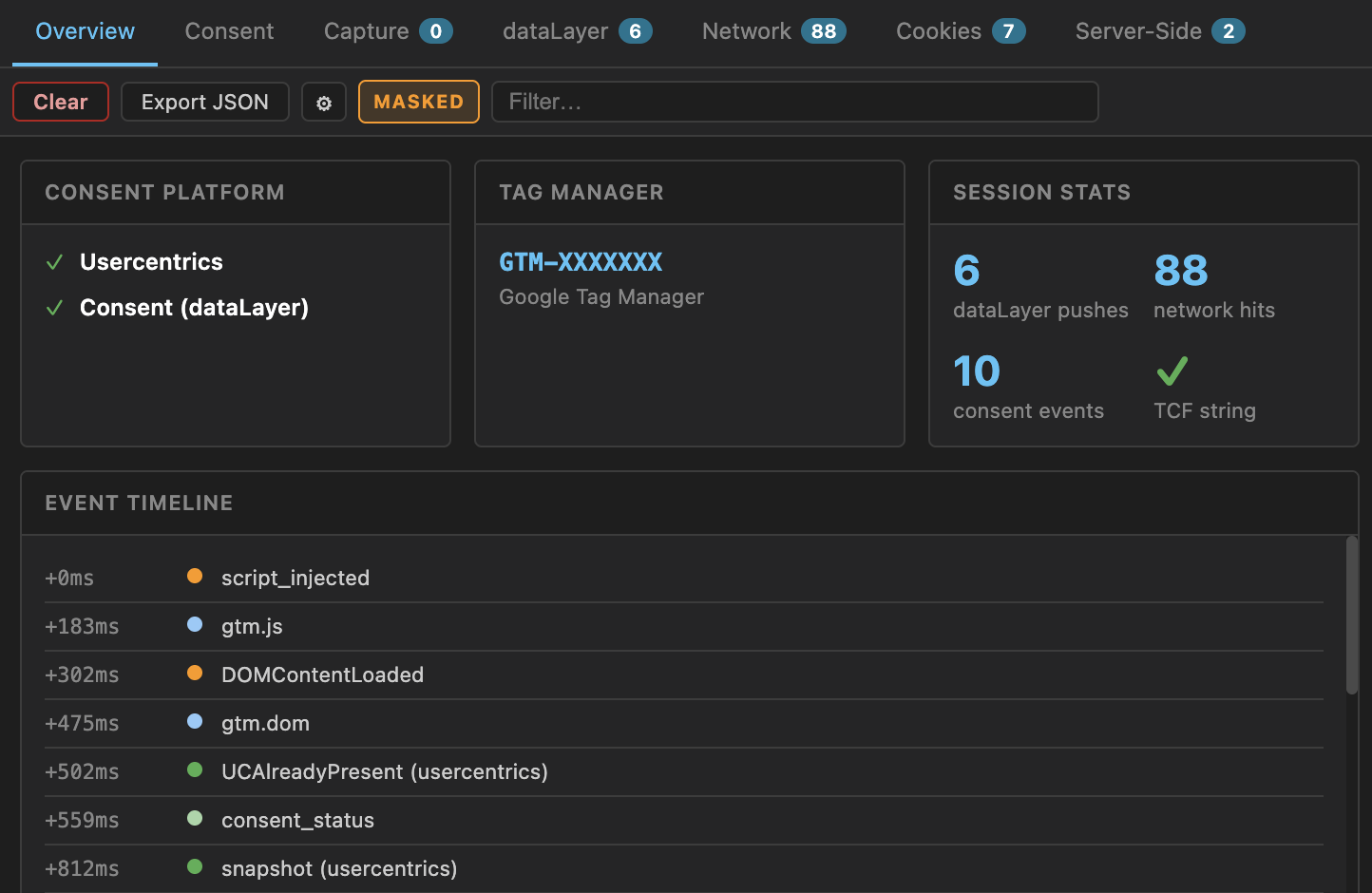
- Overview — detected CMPs and GTM containers, plus a chronological timeline of consent events, dataLayer pushes and tag fires
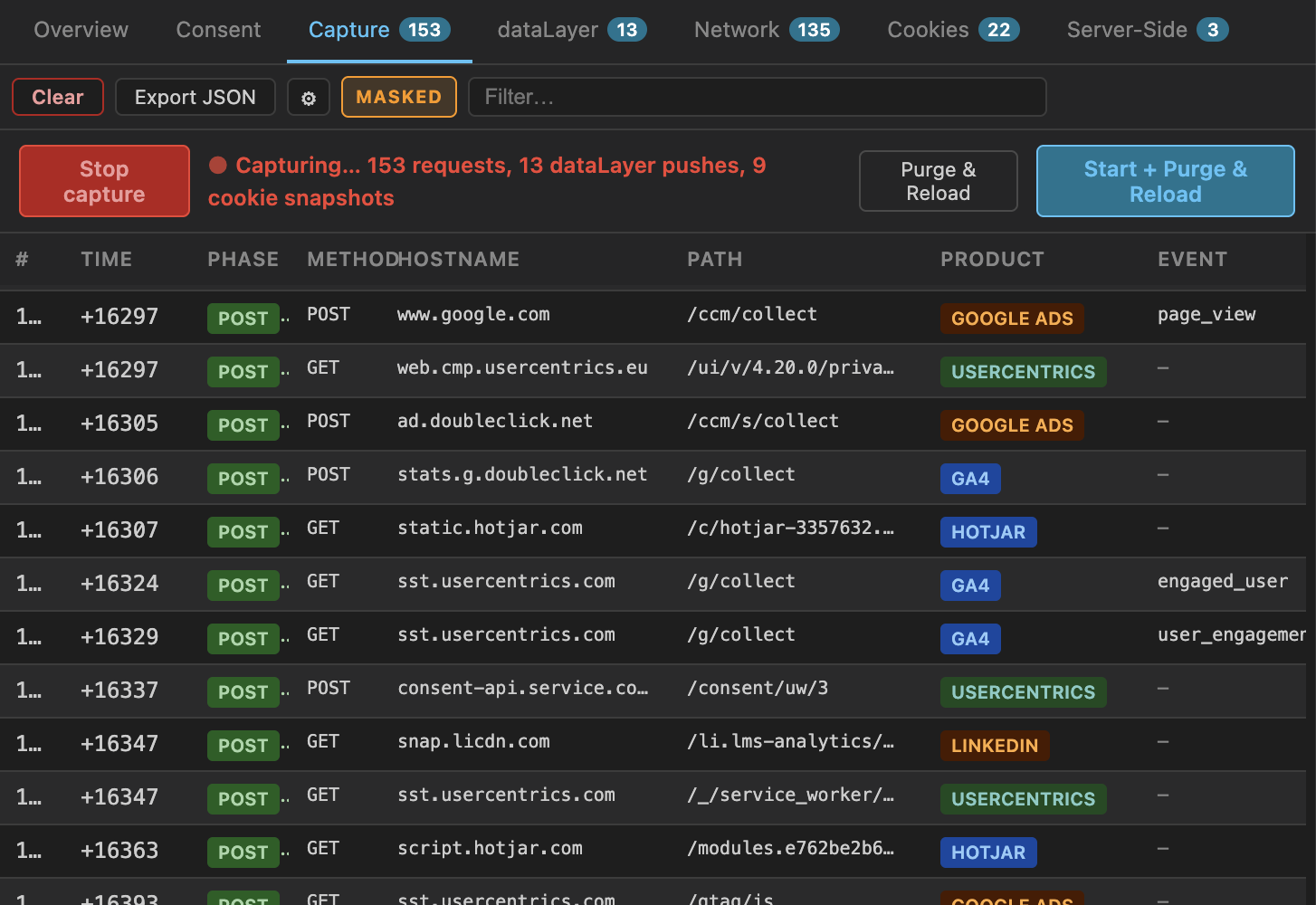
- Capture — a scoped recording of tracking requests with personal identifiers redacted, ready to attach to an audit report
- dataLayer — every push, typed and filterable, with the full object one click away
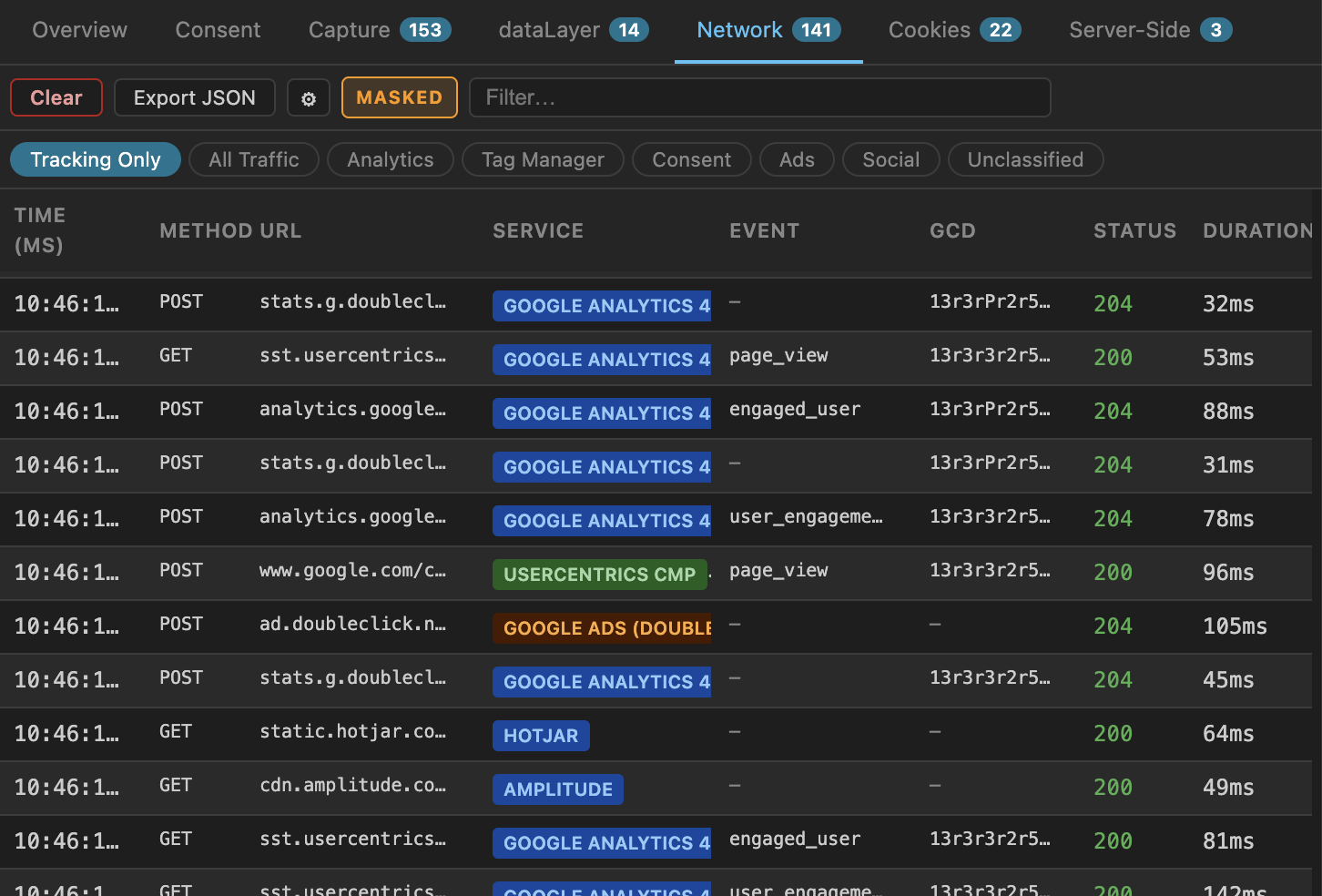
- Network — raw tracking requests: URL parameters, request headers, request bodies, status and duration
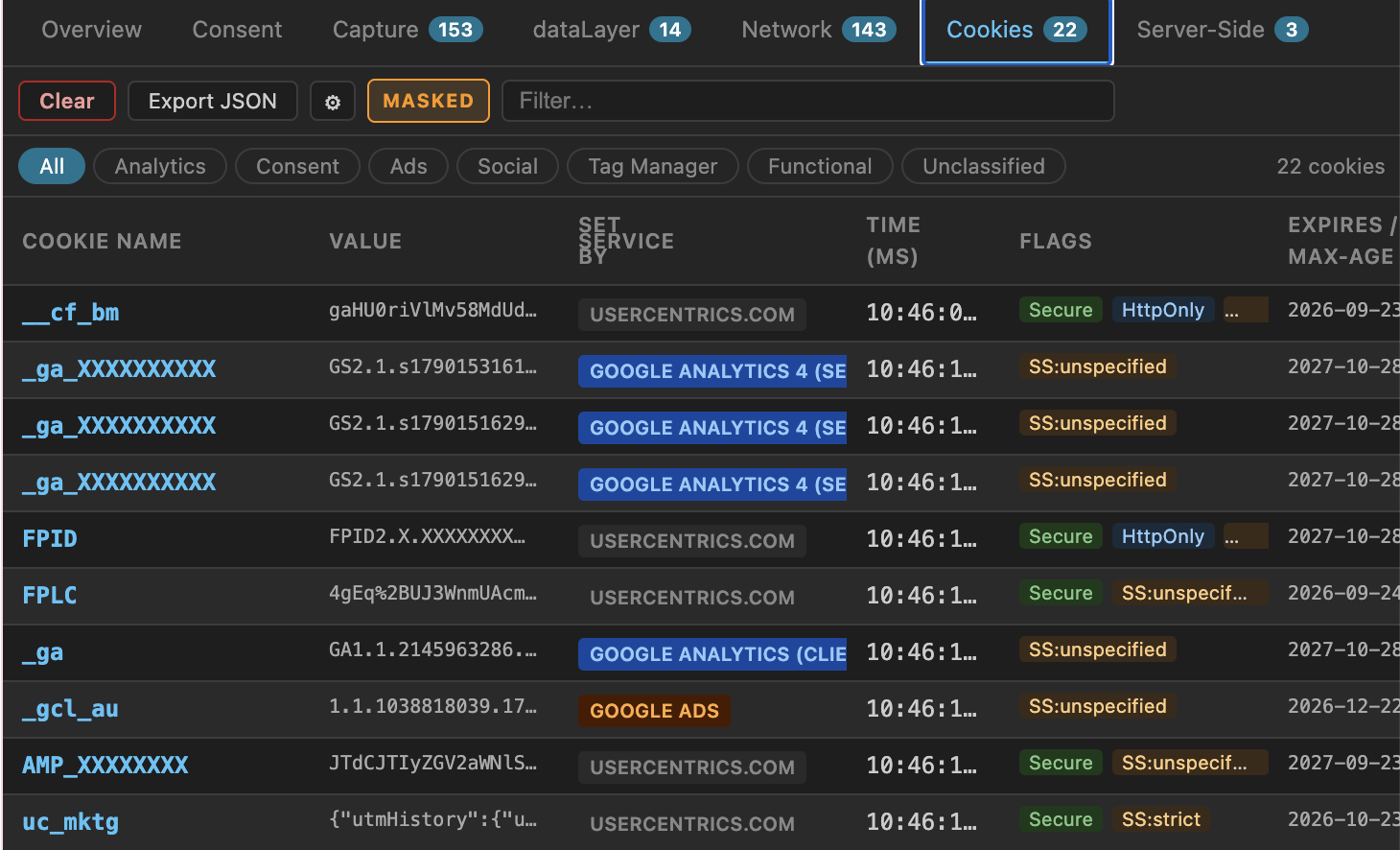
- Cookies — cookies as they are set, including HttpOnly ones, alongside the consent state at that moment
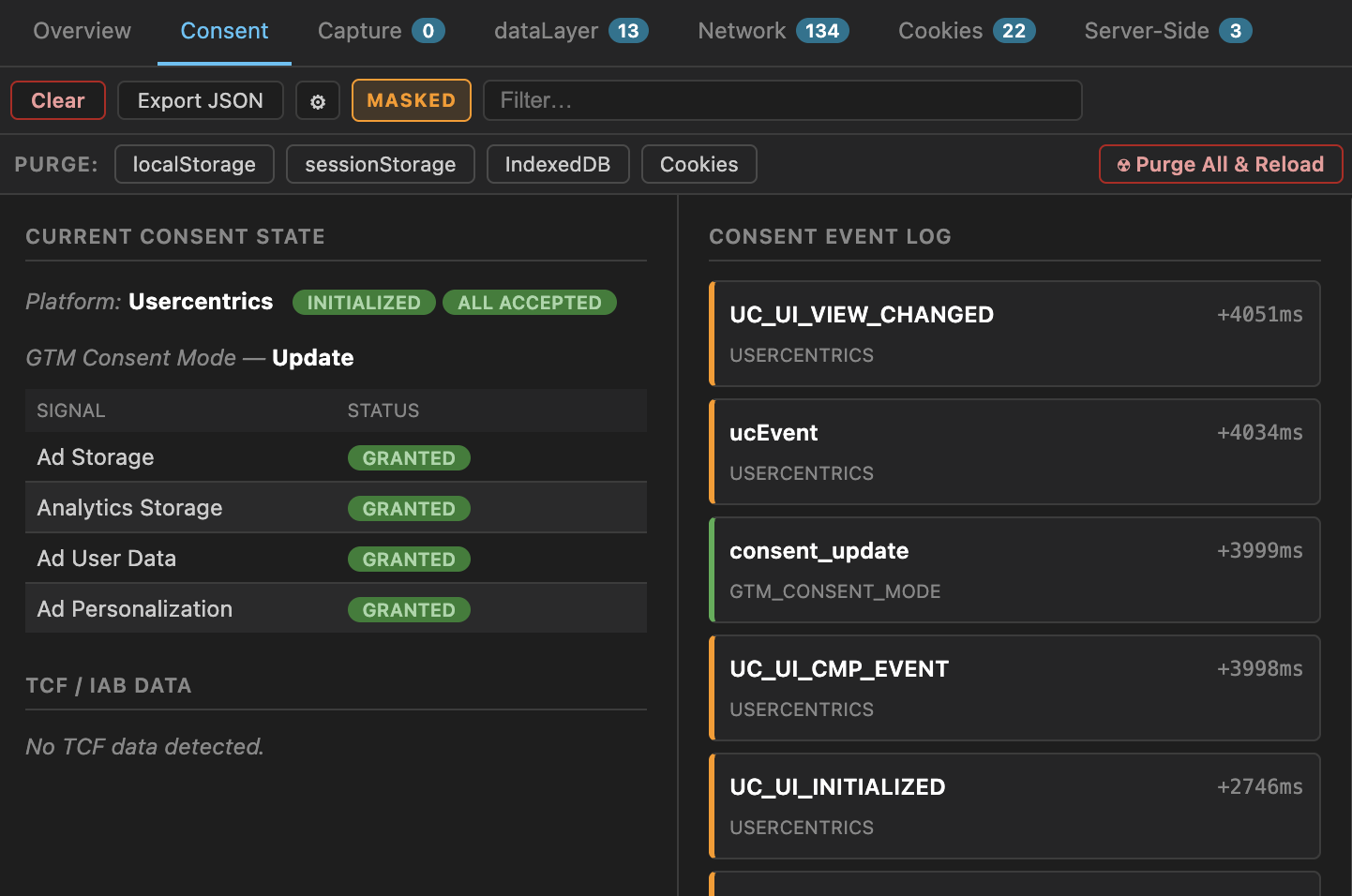
- Consent — CMP state per category, Google Consent Mode signals, and IAB TCF data
- Server-Side — first-party tagging endpoints and the services proxied through them
Consent platforms detected
See it working
Captured on a live site. Account and property identifiers are masked by the extension’s own presentation mode — the MASKED badge in the toolbar shows when it is on.
See what fired, and when
Consent events, dataLayer pushes and tag fires on one timeline, so you can tell at a glance whether a tag beat the banner.
Consent Mode v2, signal by signal
Every default and update call, per category, with the CMP’s own state and IAB TCF data alongside it.
Audit-ready captures
Record a scoped session of tracking requests, split by consent phase. Email and phone hashes, user IDs and address fields are replaced with [REDACTED] automatically.
Every cookie, attributed and timed
Cookies as they are set — including HttpOnly ones no page script can read — attributed to the service that set them.
The raw request, in full
URL parameters, request headers and request bodies for every tracking hit — the evidence behind the timeline.
Privacy
Everything stays on your machine. There is no backend, no account, no analytics and no telemetry. The extension makes no network requests of its own, and nothing it observes is ever uploaded. Read the full privacy policy.
Questions
Write to funstuff@awaremetrics.ch.